
7 min read
Automated Guest Messaging Templates: Practical Guide for Vacation Rentals, B&Bs & Hotels
Learn how to structure automated guest message templates for every stay stage, choose channels across OTA chat, email, and WhatsApp Business, and set schedules and multilingual variables.
Automated guest messaging templates are pre-written messages with dynamic fields that pull reservation details automatically and send at key stay moments. They help vacation rental owners, B&B hosts, guesthouses, hotels, and property managers communicate reliably across booking portal chat (Booking.com and Airbnb), guest email, and WhatsApp Business—cutting repetitive questions about arrival times, parking, ID registration, door codes, and Wi-Fi while delivering a consistent welcome.
Key Facts at a Glance
- Cover 6 core stay stages: instant confirmation, online check-in reminder, access instructions, mid-stay check-in, pre-check-out reminder, and review request.
- Match channel to message: OTA chat for an official record, email for complete summaries, and WhatsApp Business for quick arrival-day updates.
- Send details right when they matter: avoid long walls of text weeks ahead and keep door codes separate from the initial confirmation.
- Use dynamic variables and bilingual copy: guest names, schedules, personal links, and house rules adapt automatically to each unit and guest language.
- Safeguard edge cases: handle one-night stays gracefully and gate door codes until mandatory Italian ID check-in is completed.
Why Automating Guest Communication Boosts Reviews
Most guest messages repeat the same six questions: check-in time, passport details, parking, door codes, Wi-Fi, and check-out rules. Answering manually breaks down during busy weekend arrivals. A well-timed plan prevents missed instructions during peak hours, lifts communication and check-in scores, and surfaces minor issues during the stay—while you can still fix them—freeing up time for genuine hospitality.
The 6-Stage Automated Messaging Plan
Avoid dumping every rule and code into one giant message right after booking. Travelers rarely scroll back through month-old threads at the front door. Space communication across six focused touchpoints:
- Instant booking confirmation: reassures the guest, summarizes included amenities, and introduces online check-in and guest ID registration—briefly noting that collecting ID details is required by Italian law.
- Pre-arrival online check-in reminder: fires 24 hours before check-in only for guests who have not completed online check-in yet, avoiding unnecessary notifications.
- Access instructions and house rules: sent on arrival morning or automatically once online check-in is complete, stating when codes activate and sharing the guest portal link (directions, Wi-Fi, rules). For self check-in and smart access, always gate entry details behind completed check-in.
- During-stay follow-up: a short check-in the morning after arrival (e.g., 09:00) asking whether beds, cleanliness, and supplies are all set so small issues get fixed before check-out.
- Pre-check-out reminder: sent the evening before departure (18:00–20:00) or early morning (around 08:00) with check-out time, key drop-off, and light reminders. On one-night stays, defer automatically to check-in evening so it never fires before arrival.
- Post-check-out thank you and review request: sent 24 hours after departure (e.g., 11:00 next day) to thank guests and invite portal feedback, skipping direct bookings where no OTA review exists.
Choosing the Right Channels: OTA Chat, Email, and WhatsApp Business
Combining channels thoughtfully ensures travelers see essential updates on time while staying compliant with platform rules:
Booking.com & Airbnb Chat
Your official communication record. Keep agreements inside Airbnb chat without conditioning reviews; on Booking.com (open up to 7 days post-checkout), keep messages clean and free of unverified promotional links.
Guest Email
A dependable backup for structured details travelers save, search, or forward to companions: confirmations, addresses, included services, and personal guest portal links.
WhatsApp Business
Highest read rate on arrival day. Remember Meta's rules: free replies within the 24-hour customer service window, and approved templates outside it (Utility for operations; Marketing for promos).
Privacy & Security
Never ask for credit card details or sensitive ID photos inside WhatsApp chat; use messages solely to share your secure online check-in link.
Anti-spam rule: enable multiple channels where they add real value (such as portal chat plus WhatsApp for access instructions), instead of sending three identical copies of every minor reminder everywhere.
Dynamic Variables and Natural Multilingual Communication
Accurate dynamic data makes automated messages feel personal while eliminating copy-paste mix-ups between units. Split variables into automatic reservation fields (guest name, property name, check-in/out dates and times, booking portal, personal guest portal and check-in links) and custom property texts (included services, house rules, check-out notes, luggage storage, host signature). Maintain both Italian and English versions with short, friendly sentences, and always preview compiled messages so no placeholder goes out blank.
Managing Automated Templates in HostieBoard
In HostieBoard, all scheduled messaging lives under Templates—already included in Hostie Lite and Hostie Plus alongside the unified inbox for portals and WhatsApp. Explore every tool on the HostieBoard features page or compare plans on the pricing page.
1. Ready-to-Use Bilingual Template Catalog
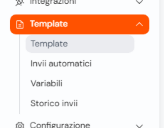
In Templates → Templates, start immediately with ready-made Italian and English templates for every stage—confirmation, online check-in reminder, access instructions, during-stay follow-up, pre-check-out, review request, and WhatsApp re-engagement—working on OTA chat and email even before connecting WhatsApp Business.
2. Automated Sends: Stages, Schedules, Channels, and Smart Safeguards
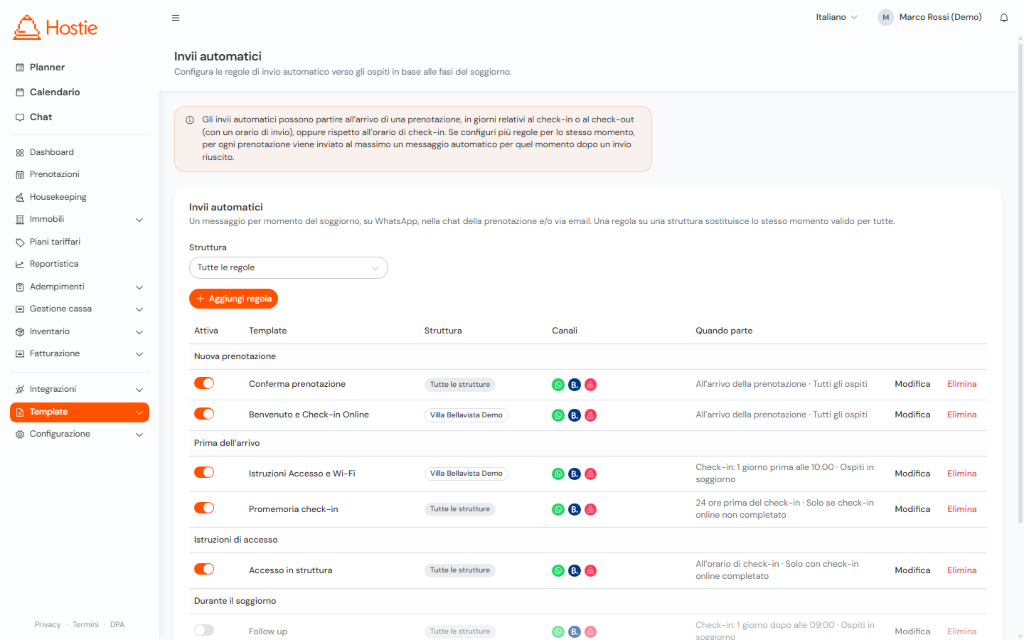
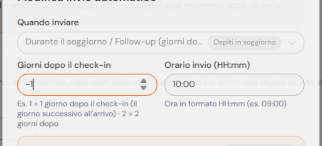
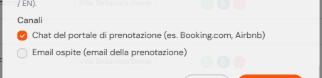
In Templates → Automated Sends, toggle rules on or off even from mobile, setting the stay stage trigger, day or hour offset with exact HH:mm timing (confirmed by a plain-language Timing summary), active channels (OTA chat, guest email, WhatsApp Business), and per-property overrides that replace global rules without duplicates. Built-in safeguards pick IT or EN per guest automatically, hold access instructions until check-in is complete, defer one-night pre-check-out reminders to arrival evening, and restrict review requests to OTA bookings.
3. Property Variables, One-Click Translation, and Send History
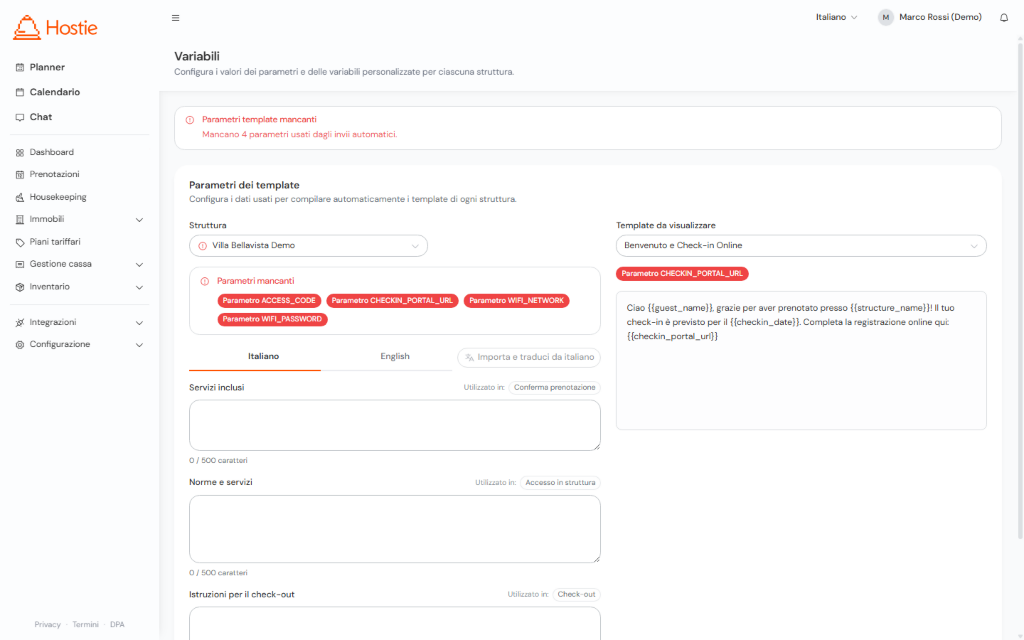
In Templates → Variables, edit Included services, Rules and services, and Check-out instructions per property across Italiano and English tabs, using Import and translate from Italian for one-click English copy. A live preview and missing-parameter alerts prevent blank fields, while Templates → Send History lets you filter every sent message by guest, template, channel, language, dates, automatic or manual trigger, and delivery status.
Frequently asked questions
How many automated messages should I send per stay?
For most vacation rentals, B&Bs, and hotels, 4 to 6 messages across the stay provide the best balance: booking confirmation, an online check-in reminder (only if incomplete), access instructions, a brief during-stay check-in, a pre-check-out reminder, and a review request. Sending more can overwhelm guests; sending fewer leaves common questions unanswered.
When should I send check-in instructions and door codes?
Send access instructions on arrival morning or automatically once online check-in is completed, clearly stating when codes activate. Sending codes weeks early makes them easy to lose in old threads and reduces property security.
Can I use automated templates without WhatsApp Business connected?
Yes. Automated templates run immediately on booking portal chat (Booking.com and Airbnb) and guest email even before connecting WhatsApp Business. Once you connect WhatsApp Business, you can enable it as an extra channel on any rule.
How is the right language chosen for international guests?
When both Italian and English templates and property variables are configured, the system detects the guest's language on the reservation and sends the matching version automatically, defaulting to English for international travelers.
What happens to pre-check-out reminders on one-night stays?
Smart scheduling detects one-night stays and prevents a day-before check-out reminder from firing before the guest checks in. Instead, it automatically holds the message until the evening of arrival day.
How can I check whether an automated message was actually delivered?
In HostieBoard's Send History section, you can filter every sent message by guest, template, channel, language, date range, automatic versus manual trigger, and delivery status to verify delivery in seconds.
More from the Hostie blog

7 min read
Airbnb, Booking.com, Vrbo & Expedia Commissions: How to Calculate Channel Markups Without Losing Margin
A practical guide to Airbnb, Booking.com, Vrbo, and Expedia commissions for hosts in Italy: true costs including 22% VAT, the exact channel markup formula, and how to protect your net nightly payout.
Read the article
7 min read
Overbooking on Airbnb, Booking.com, Vrbo & Expedia: True Costs and How to Prevent It
Learn why overbookings happen across Airbnb, Booking.com, Vrbo, and Expedia, what penalties and relocation costs really add up to, and how a real-time Channel Manager eliminates double bookings.
Read the article
8 min read
Italy's Tourist Tax (Tassa di Soggiorno): Calculation, Reporting, and Automated Online Collection
How to calculate, collect, and report Italy's tourist tax without mistakes: legal liability, exemptions, the June 30 filing, and automated online collection via Stripe and PayPal.
Read the article